
Premium iGUIDE Virtual Tours in Saskatoon
Explore a home room by room with a 360° walkthrough, interactive floor plan and property measurements that help buyers understand the layout.
Captured and visually refined by Scott Prokop Photography for Realtors, builders and developers in Saskatoon and surrounding communities.
Step inside The Wellington
Choose a room on the interactive floor plan, then drag or swipe to look around in 360°. Switch floors to see how the home fits together.
Panoramas refined by hand
Your virtual tour should feel as polished as your listing photos.
I refine the panoramas I capture for brighter interiors, cleaner whites and balanced exposure. I match colour and brightness from room to room and preserve realistic exterior views, including natural blue skies when the scene and conditions support them.
The finished tour reflects the home as photographed and complements the professional listing images.
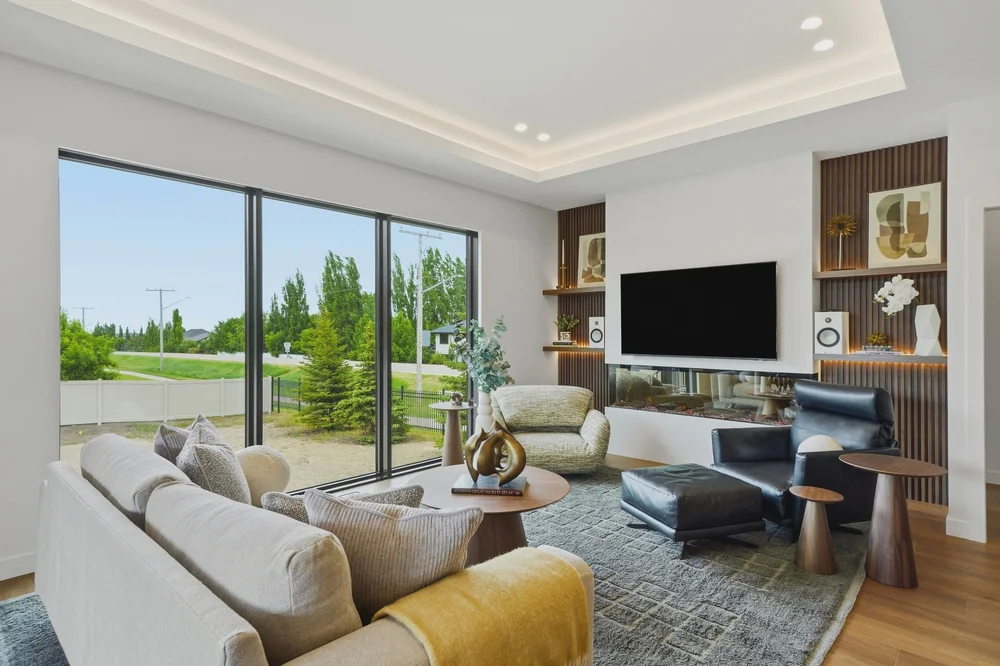
Explore Starkenberg by Ehrenburg Homes
Walk through this Saskatoon show home to see how I balance exposure and colour across rooms in the finished tour.
Give buyers more confidence before a showing
Explore from anywhere
Relocating buyers can walk through the home remotely and return to rooms they want to compare.
Understand the layout
Use the floor plan to see how rooms and levels connect, especially in homes with unusual layouts.
Check dimensions
Use available dimensions and area information to answer early questions about space and fit.
Show how the home lives
Give buyers room-to-room context alongside your listing photos.
Share across channels
Use an appropriate link on property websites, in email and social posts, or on compatible listing platforms.
Review tour activity
iGUIDE offers viewer analytics and can send weekly reports when reporting is configured for the tour.
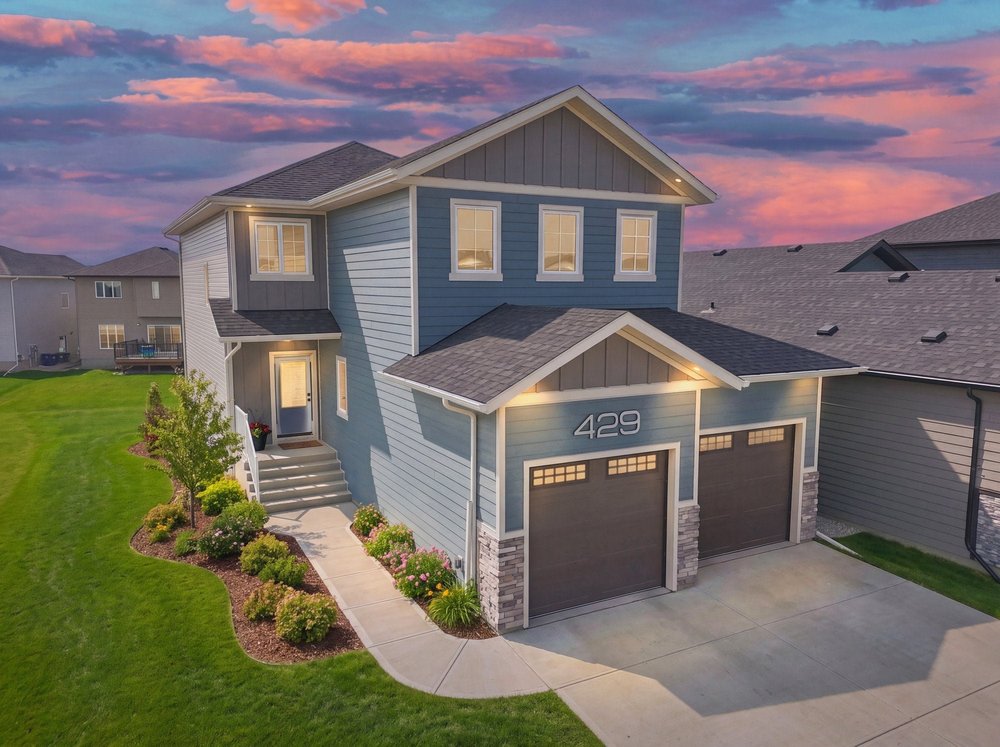
Show your homes after the sales centre closes
Give prospective buyers a way to explore your completed show homes from anywhere. They can review finishes, see how rooms connect and compare built models before scheduling a visit.
- Embed a walkthrough on your builder website or a completed-home listing.
- Use the same tour in sales presentations and remote consultations.
- Discuss capture of completed spaces for project documentation when you request a quote.
Pair your tour with professional photography, video and drone imagery through Scott’s builder and developer media services.
What’s included
- A 360° walkthrough with a navigable floor plan and available room dimensions and area information.
- Scott’s panorama colour and exposure refinement, plus direct support from booking through delivery.
- Branded and unbranded sharing options for compatible channels.
Confirm downloadable plan formats, area reports, galleries, property details and analytics setup when booking. Ask about specific floor-plan and measurement requirements before capture.
Virtual Tour Package
Scott’s published package pairs iGUIDE with listing photography, aerial photography where conditions permit, LiDAR floor plans and measurements, a property website and a marketing kit.
Work directly with Scott Prokop
A Saskatoon-based, full-time real estate photographer since 2012, Scott has photographed more than 10,000 properties. Coordinate your iGUIDE, listing photography, drone media and video through one local provider.
Next day by noon is Scott’s usual listing media delivery standard. Confirm timing for your tour, drafted plans and custom edits when booking.
How it works
Book your appointment
Choose a package or ask Scott to include a tour with your listing media.
Capture the property
Scott photographs and scans the agreed spaces during the scheduled visit.
Prepare and review
Scott refines the panoramas and reviews the processed tour and agreed property information.
Share your tour
Use the delivered links and files on compatible listing and marketing channels.
iGUIDE FAQs
What is an iGUIDE virtual tour?
It’s a browser-based 360° walkthrough that links real panoramas to an interactive map of the property.
How is iGUIDE different from a real estate video?
A video follows a filmed sequence. In iGUIDE, buyers choose where to go, how long to look and which rooms to revisit.
How is iGUIDE different from a basic floor plan?
A basic plan gives an at-a-glance layout. With iGUIDE, buyers can select a point on the plan and see the room from that location.
Does iGUIDE include property measurements?
Available information can include room dimensions and floor-area totals. Confirm the required reporting format before booking and independently verify measurements material to a purchase or formal decision.
Can buyers view it on their phones?
Yes. The viewer adapts to compatible mobile browsers and also works on desktop and tablet.
Can I share it on REALTOR.ca or my property website?
Share or embed it on a compatible property website. For REALTOR.ca, use the appropriate unbranded link if your brokerage and listing system accept it. Check their current rules before posting.
Can Realtors use their own branding?
Yes. Ask Scott about agent or brokerage branding for your marketing link and keep an unbranded version for channels that require it.
How quickly will my tour be ready?
Confirm timing at booking. Property size, drafting and any custom edits can affect delivery.
How long is the tour hosted?
Confirm the hosting term with Scott, particularly if a builder website or long-running campaign needs ongoing access.
Can builders use iGUIDE for show homes?
Yes. Scott captures completed spaces for builder websites, sales presentations and remote walkthroughs.
Can I order it with photography and drone images?
Yes. The Virtual Tour Package combines those services, subject to aerial conditions and the confirmed order.
What makes Scott’s panoramas different?
Scott personally balances exposure and colour across the captured panoramas so that adjoining rooms look consistent.