
Turn the media into a complete listing launch.
Bring the photography, video, floor plans, tours and supported marketing assets together in one organized place.
Available websites, assets and controls depend on the confirmed order and current Marketing Kit configuration.
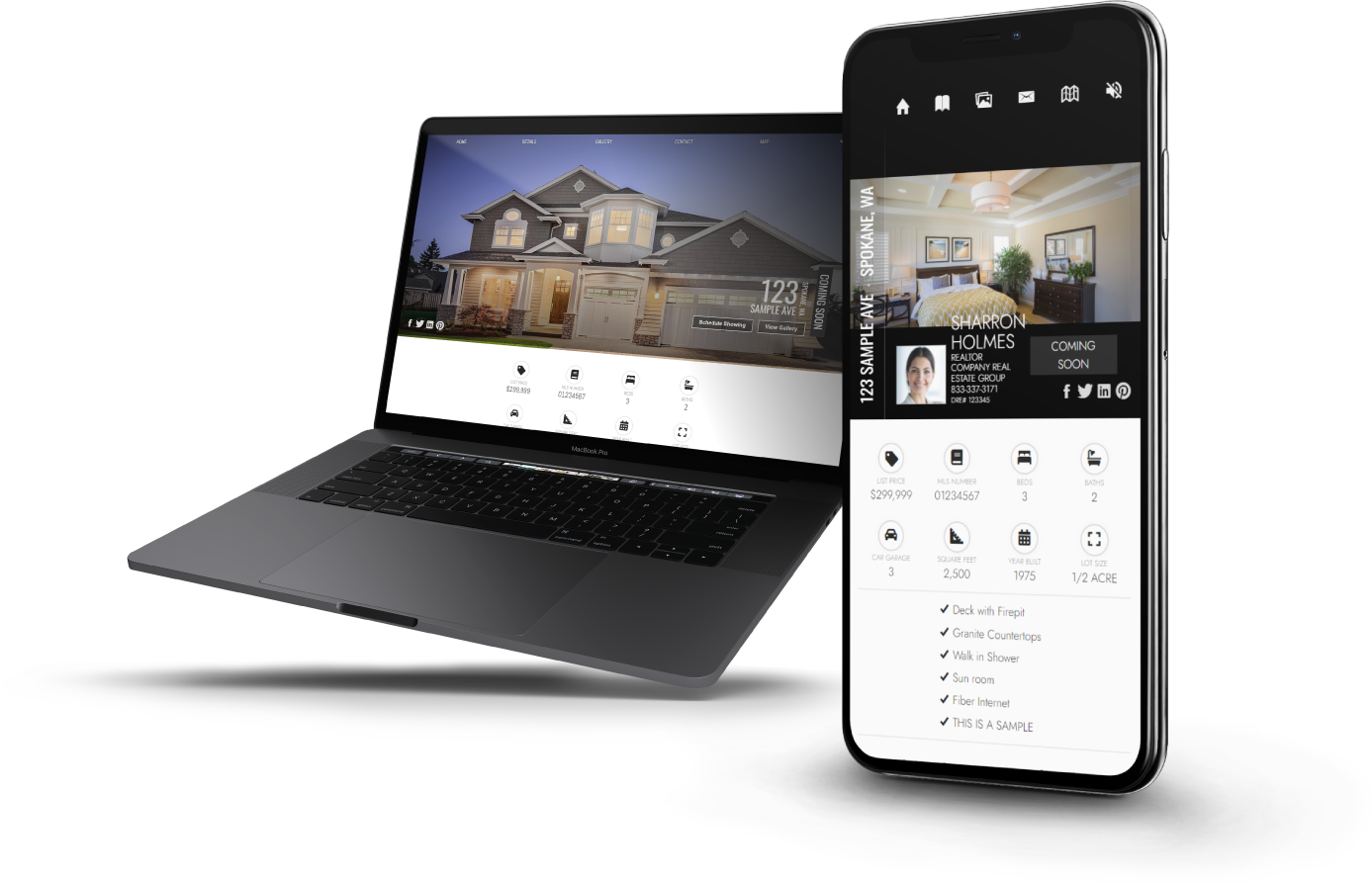
The files are only the beginning.
The goal is an organized launch—not a folder the Realtor has to rebuild into a campaign.
The appointment creates the raw material. The delivery workflow turns it into usable media and supported marketing tools.
- Keep photographs, video, plans and tour links together.
- Reduce repeated vendor coordination.
- Give the Realtor a clear route from review to publication.
- Keep Scott directly accountable for the order and delivery experience.
Scott photographs the property and produces the confirmed media.
Approved files, links and listing information are assembled in one delivery.
The Realtor checks property details, branding, media and destinations.
Use the correct website, downloads and marketing assets for each channel.
Branded and unbranded links have different jobs.
A dedicated property website can organize photographs, video, floor plans, tours, approved property details and contact information in a mobile-friendly presentation.
Branded website
Use the approved branded version where Realtor and office identity are appropriate.
- Agent and office presentation
- Contact information and calls to action
- Photo, video and tour content
- Property information supplied for the order
Unbranded website
Use the neutral link where an MLS, brokerage or advertising destination requires it.
- No agent-specific promotion
- Property-focused presentation
- Media gathered in one destination
- A distinct link for compliant placement
Confirm which version belongs in each MLS, brokerage, advertising or social channel before posting.
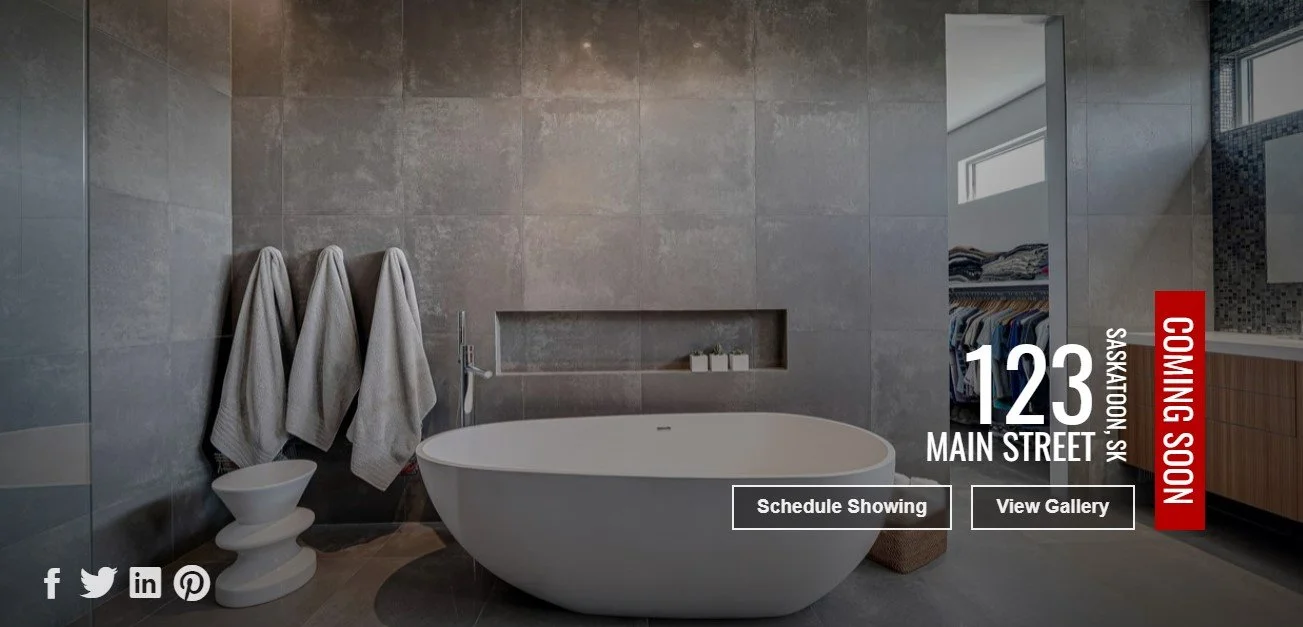
One place for the supported launch assets.
When the Marketing Kit is part of the confirmed order, current supported capabilities can include:
- Branded and unbranded property-site links
- Editable property flyers and social-media tiles
- Property-site slideshow and shorter teaser videos
- Weekly website traffic reporting
- Supported call-and-text lead-capture tools
- Agent and office branding controls
Exact assets depend on the approved package or add-on. Review every generated detail, image and link before launch.
Useful starting points, ready for a human review.
Supported Marketing Kit tools can turn approved listing information and delivered media into editable social graphics and video-based assets.
Match the listing stage.
Prepare consistent posts for a new listing, open house, feature highlight or verified status update.
Give photography another format.
Use generated branded, unbranded or shorter social-oriented versions where they fit the channel.
Choose, edit and confirm.
Select the right image, crop, message and format instead of posting every generated version automatically.
Generated slideshow assets are different from a custom property film. No social asset guarantees a particular number of views, inquiries or leads.
One front door to the approved listing media.
Photography
A clear gallery and source imagery for supported flyers, tiles and slideshows.
Video
Link or embed a horizontal property film where the approved configuration supports it.
Tours
Give buyers a clear path into an approved iGUIDE or virtual-tour experience.
Floor plans
Help buyers understand layout and access the applicable plan or report.
The buyer should be able to see the property, understand the layout and choose the depth they need without hunting across unrelated messages.
Connect print, digital activity and follow-up.
QR codes
When approved for the order, a QR code can lead from a printed piece or sign to the correct property-site destination. Test the final link on more than one phone before printing.
Traffic reporting
Weekly reporting for an eligible live Marketing Kit site can summarize visits, history, popular content, referring websites and geographic activity.
Lead capture
Where included, the supported call-and-text workflow can provide property information and pass the contact generated by that interaction to the agent.
QR codes and lead-capture tools are not stated as automatic inclusions in every delivery. Traffic shows observable activity—not offers, qualified buyers or guaranteed results.
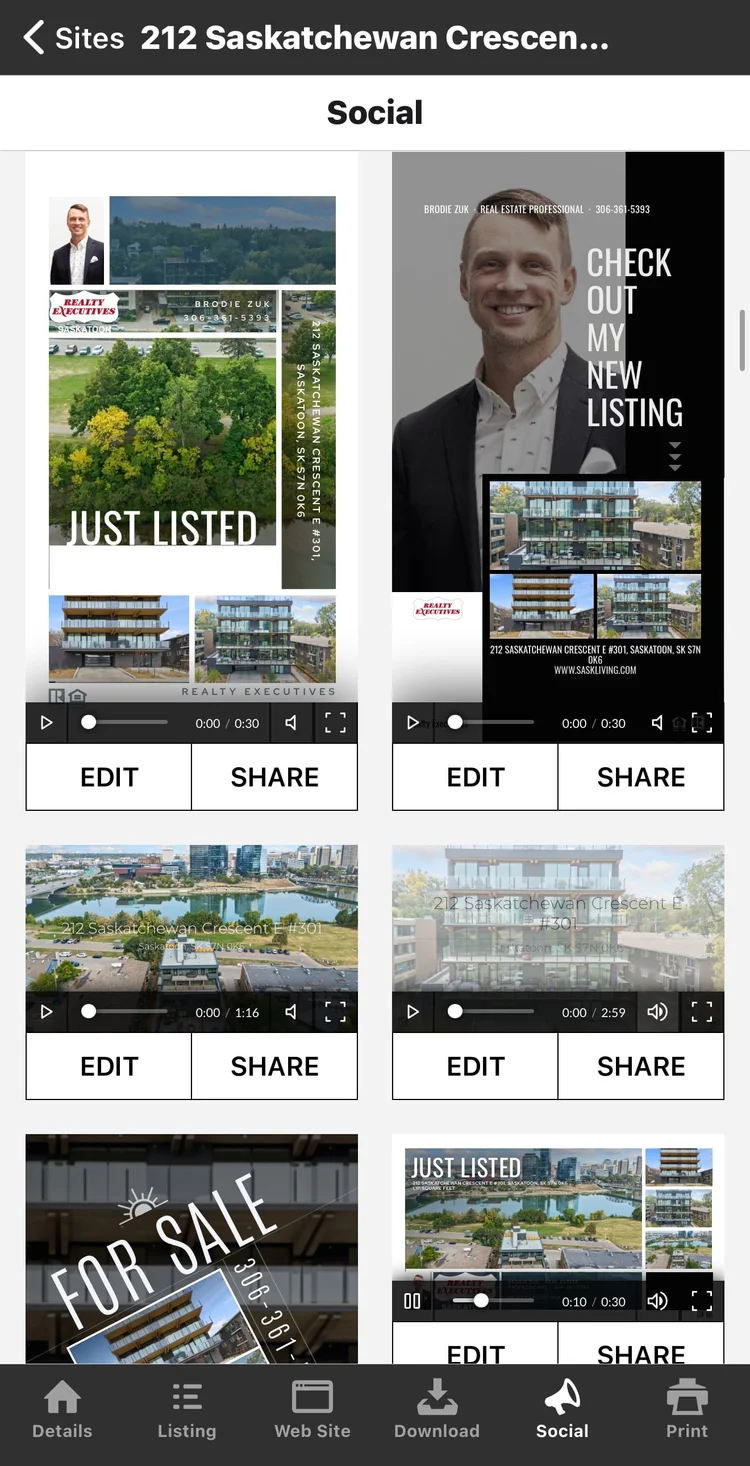
Your listings, reachable from your phone.
Using the account email associated with orders, clients can access current supported booking, delivery and marketing tools while away from a desktop.
- Review scheduling and place a new order.
- Access appointments and supported rescheduling controls.
- Receive delivery notifications and view invoices.
- Pay eligible balances through available checkout options.
- Download delivered photos and supported media.
- Access available websites, flyers and social assets.
The app does not change what was ordered. It makes approved tools easier to reach.
See how the delivery can come together.
Designs, controls and available assets can change as the delivery platform evolves.
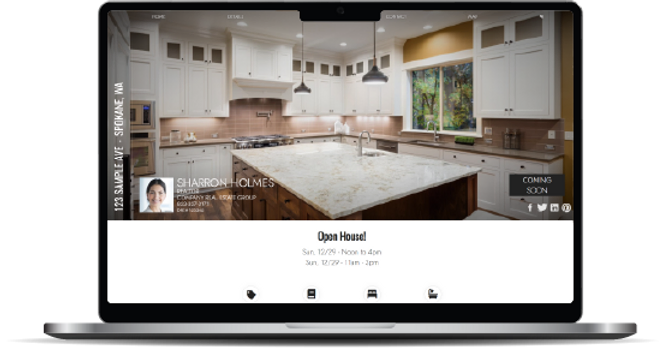
Property-site presentation · media and verified listing information organized for buyers.
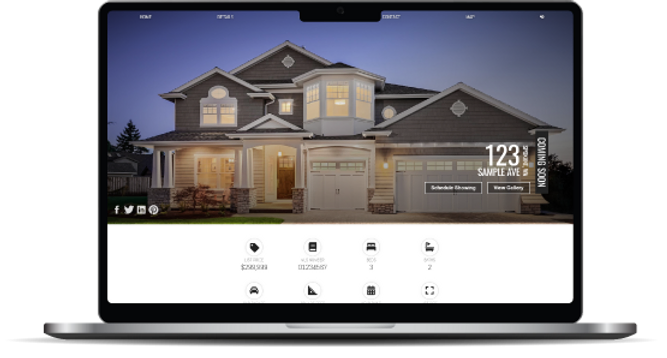
Alternate site presentation · a different visual emphasis for the same core job.
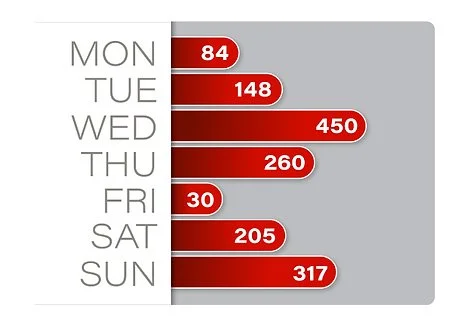
Weekly traffic report · observed website activity, not a promise of buyer intent.
A deliberate launch is a confident launch.
Before publication
- Confirm the address, price and approved property details.
- Review photographs, video, plans and tour links.
- Check agent and office information.
- Test downloads, embeds, QR codes and calls to action.
- Apply required disclosures to altered media.
During the launch
- Use the correct branded or unbranded link.
- Choose the media format suited to each destination.
- Use a focused set of social assets.
- Keep listing status and contact information current.
- Use observed traffic data carefully in seller updates.
The Realtor remains responsible for verifying listing facts, status, compliance and destination-specific requirements before publication.
Answers for a smoother listing launch.
What is a property website?
It is a dedicated presentation that can organize approved photos, video, floor plans, tours, property details and contact information in one mobile-friendly destination.
Why are there branded and unbranded links?
The branded version can include agent and office identity. The unbranded version provides a neutral destination for channels that require it. Confirm which link belongs in each placement.
Is the Marketing Kit included with every order?
Do not assume so. Available websites, assets and controls depend on the confirmed package or add-on and the current Marketing Kit configuration.
Can I edit the generated marketing assets?
Supported flyers and social tiles can offer editable information and design choices. Always review property details, branding, images and status before downloading or publishing.
What does website traffic reporting mean?
It summarizes observable activity for an eligible live Marketing Kit site. It should not be presented as a count of qualified buyers, offers or guaranteed results.
Can I access the delivery from my phone?
The Scott Prokop Photography app supports current booking, notification, invoice, payment, download and marketing workflows available to the client’s account and order.
Launch the listing with everything in its place.
Choose the media that fits the property, then use the supported website and marketing tools to move from delivery to publication with confidence.
Practical questions and next steps
Reviewed October 7, 2026. Confirm your order’s services, timing and usage terms before booking or publishing.
What is a property website and when is it useful?
A property website gives the listing one shareable destination for the available photographs, plans, video and tours. It is useful when those assets would otherwise be scattered across links. Features and hosting depend on the order. Test the public link, branding, contact details and mobile presentation before sending it to buyers or placing it in advertising.
What does Scott's marketing kit include and how do I use it?
Available marketing-kit tools and assets depend on the confirmed order and current portal configuration. Open the delivered listing, review the available website and asset options, then check the address, price and contact details before exporting or sharing. Use the supplied format for its destination. Ask Scott if a promised asset is missing rather than assuming every package contains the same tools.
How should I repurpose listing photos for Instagram and Facebook?
Give each post a distinct purpose: introduce the home, explain a useful room, show outdoor context or share an approved open-house update. Use a crop that preserves the important property information and readable text. Check licence scope, current facts and any staging disclosure, then preview the post on a phone before publishing.
How can I plan a week of listing posts without repeating myself?
Plan a short sequence around different buyer questions: an overview, main living spaces, layout, outdoor setting and an approved viewing invitation. Reuse the strongest media in different contexts without publishing the same caption repeatedly. Adjust to the actual listing timeline, keep facts current and give each post one clear next step.
What should be updated when a listing price changes?
Update the price wherever it is actively displayed: property website, marketing-kit exports, feature sheets, scheduled posts, video text and advertisements. Previously exported assets may need to be regenerated. Check that links still reach the intended listing and that contact and property details remain correct. Review the refreshed public assets after the change.
What can I publish before a listing goes live?
Before posting preview or coming-soon material, confirm owner authorization, brokerage approval and the current marketing rules that apply to the destination. Keep status, price and availability accurate, and do not imply that a listing is active when it is not. Have the Realtor approve the final preview and its timing before publishing.
Source: SREC bylaws, February 2026.
How can I tell whether listing media helped my business?
Track whether clients use the delivered assets, whether inquiries are qualified and whether bookings and repeat work follow. Record the service chosen, order value and production effort where business records support it. A booking-link click is not a completed booking, and an image view is not a sale. Compare consistent periods and avoid claiming causation from a single campaign.
Book the media for your listing · Explore customer resources